To set up the best smart rules for your pool pumps, heaters, and salt systems, start by monitoring key parameters like flow rates, temperatures, and salt levels, and configure alerts for any deviations. Use your smart home platform to create customized triggers that notify you instantly via email, app, or text. Regularly review and adjust these settings to suit seasonal changes and equipment updates. Keep exploring to discover more ways to optimize your pool’s performance effortlessly.
Key Takeaways
- Define specific thresholds for pump flow, heater temperature, and salt levels to trigger relevant alerts.
- Use smart rules to set conditional alerts based on multiple sensor inputs for accurate monitoring.
- Regularly calibrate sensors and review alert histories to optimize rule effectiveness and prevent false alarms.
- Customize notification preferences (email, app, text) for timely updates on critical system issues.
- Implement automated actions within rules, such as shutting down equipment or activating safety features during faults.
Why Pool Equipment Alerts Are Key to a Healthy, Sparkling Pool
Pool equipment alerts are essential because they provide real-time updates on your pool’s condition, helping you catch issues before they become costly problems. Staying on top of equipment maintenance ensures your pool stays clean and functional. Alerts notify you if pool chemistry levels, like pH or chlorine, fall outside ideal ranges, preventing algae growth and skin irritation. They also warn you about equipment malfunctions, like faulty pumps or heaters, so you can address problems early. By monitoring these factors continuously, you reduce the risk of damage and save on costly repairs. Incorporating Free Floating systems can enhance your ability to maintain a balanced environment effortlessly. Additionally, understanding smart home safety principles can help you optimize your pool’s automation for better security and efficiency. Using monitoring technology enables you to receive timely updates and respond swiftly to any issues. Regularly reviewing your smart rules can further improve your system’s responsiveness and overall performance. Employing automated alerts can also help you stay proactive in managing unexpected situations, further safeguarding your investment.
How to Choose the Right Smart Home Platform for Pool Monitoring
Choosing the right smart home platform for pool monitoring is essential to guarantee seamless integration and reliable alerts. You want a platform that easily connects with your existing devices and offers broad platform compatibility. Consider whether it supports your pool equipment, sensors, and smart home ecosystem. Compatibility ensures you won’t face issues syncing new devices or managing your system efficiently. To help you compare options, here’s a quick overview:
| Feature | Important for Pool Monitoring |
|---|---|
| Smart Home Integration | Ensures devices work together smoothly |
| Platform Compatibility | Supports your specific pool equipment and sensors |
| User Interface | Easy to set up and manage alerts |
| Compatibility Updates | Keeps your system current with new devices |
This way, you’ll select a platform that simplifies your pool monitoring and alert setup. Additionally, understanding drone bees and hive health can offer insights into maintaining a balanced environment, much like smart home ecosystem management for optimal performance. Recognizing the importance of platform adaptability can help ensure your system remains flexible as new technologies emerge, preventing potential issues related to device interoperability.
Setting Up Pump Alerts to Prevent Failures and Save Energy
Setting up pump alerts is a crucial step in preventing equipment failures and conserving energy. By monitoring pump performance, you can catch issues early, reducing costly repairs and downtime. Set alerts for abnormal vibrations, unusual noise, or sudden drops in flow rate, which often indicate maintenance needs or potential failure points. Regular pump maintenance ensures efficient operation and extends its lifespan. Energy conservation comes into play when you receive alerts that help you identify inefficient operation, like a pump running longer than necessary or at higher speeds. Automated alerts enable you to respond quickly, optimize pump cycles, and avoid unnecessary energy use. Additionally, understanding system efficiency can guide you in making adjustments that improve overall performance. Implementing these smart rules not only safeguards your equipment but also helps you save money and reduce your environmental impact. Incorporating monitoring tools can further enhance your ability to track performance metrics and respond proactively to potential issues. Properly calibrated sensors and performance analytics ensure that alerts are accurate and actionable, maximizing their effectiveness. Regularly reviewing alert history can help identify recurring problems and optimize your maintenance schedules for better system reliability. Moreover, integrating advanced sensors can provide even more precise data, leading to quicker and more accurate responses to potential problems.
How to Set Up Heater Alerts to Avoid Overheating

To prevent overheating and potential damage, you need to set up heater alerts that notify you when temperatures approach unsafe levels. Focusing on heater safety, establish clear temperature thresholds that trigger alerts before critical temperatures are reached. First, check your heater’s maximum safe temperature and set your alert just below that point. Use your smart system’s app or control panel to create a rule that sends notifications if the heater exceeds this limit. Regularly review and adjust these thresholds based on seasonal changes or equipment updates. This proactive approach helps you catch issues early, avoiding overheating and prolonging your equipment’s lifespan. Incorporating smart safety features can further enhance your system’s ability to prevent overheating and ensure reliable operation. Additionally, understanding how your system’s alerts function ensures you respond promptly to any temperature anomalies. Being familiar with temperature monitoring capabilities allows for more precise control and early detection of potential issues. Properly configuring heater alerts around specific temperature thresholds ensures safe operation and peace of mind.
Monitoring Salt Levels With Automated Alerts to Prevent Imbalances

Monitoring salt levels is essential for maintaining balanced and safe water conditions in your pool or spa. Salt level monitoring with automated alerts helps you detect imbalances early, preventing damage to equipment and ensuring water quality. By setting up these alerts, you’ll receive notifications when salt levels fall outside the recommended range, allowing you to take immediate action. Automated alerts eliminate the need for manual testing and reduce guesswork, keeping your system running smoothly. Proper salt level management also prolongs the lifespan of your salt system and improves swimmer comfort. With real-time monitoring, you can maintain ideal salt concentrations effortlessly, saving time and avoiding costly repairs caused by improper salinity. Incorporating solar-powered security solutions can help safeguard your monitoring equipment and enhance overall system reliability. Implementing smart technology for salt level management enhances your pool’s reliability and user experience. This smart approach ensures a comfortable, safe, and well-maintained pool or spa experience. Additionally, integrating wireless connectivity ensures your alerts are transmitted promptly, even from remote locations. Regular calibration of sensors further ensures accuracy and consistent performance of your monitoring system.
Customizing Alerts for Your Pool’s Unique Needs
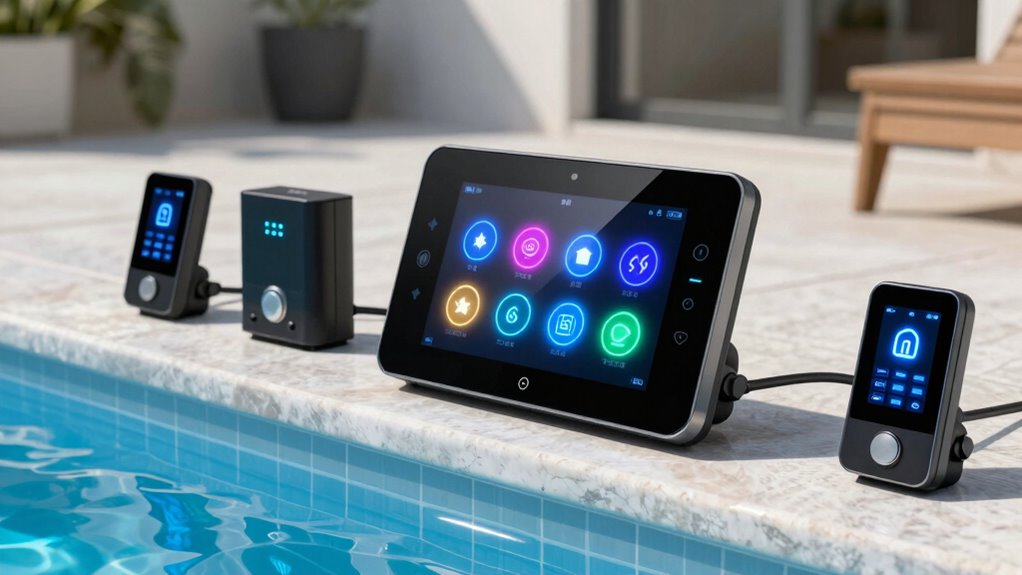
You can tailor your alert triggers to match your pool’s specific needs, ensuring you get notified at the right moments. Adjust these settings based on how often you use your pool or seasonal changes to stay ahead of issues. Personalized alerts help you maintain peak water quality without unnecessary alerts.
Personalize Alert Triggers
Since every pool has unique characteristics, customizing alert triggers guarantees you receive relevant notifications without unnecessary disruptions. Start by adjusting sensor calibration to guarantee your system accurately detects issues, preventing false alarms or missed alerts. Next, set your notification preferences to determine how and when you’re alerted—whether via email, app notification, or text message. By tailoring these triggers, you ensure alerts are meaningful and timely for your pool’s specific needs. Regularly review and fine-tune your settings as your pool’s conditions change or new equipment is added. This personalized approach minimizes unnecessary alerts and keeps you informed about critical system performance, helping you maintain ideal pool health with minimal hassle.
Adjust Based on Usage
Adjusting your alert settings based on how you use your pool helps make certain you’re notified about issues that matter most to your swimming habits. If you rely on solar heating, set alerts for temperature drops, ensuring your system stays efficient. Keep an eye on pool chemical balance by customizing alerts for pH and sanitizer levels, preventing corrosion or algae growth. Additionally, if you frequently use the pool during peak hours, prioritize alerts for pump performance or filter issues to avoid disruptions.
- Set solar heating alerts for temperature fluctuations to optimize energy use.
- Customize chemical balance alerts to maintain healthy, clear water.
- Adjust pump alerts based on your swimming schedule to prevent system failures.
Troubleshooting Common Pool Equipment Alert Issues
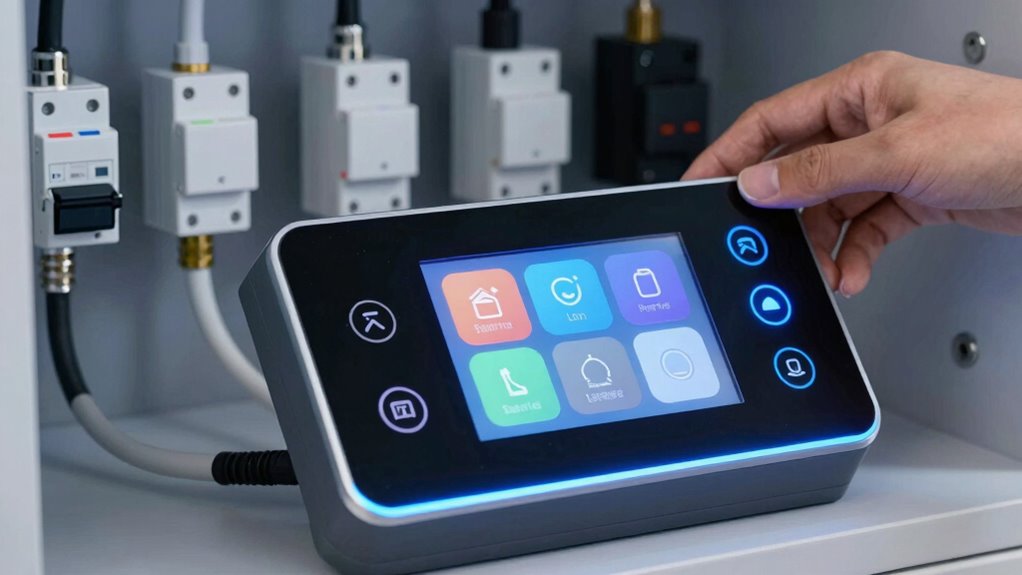
When your pool equipment sends an alert, understanding common triggers can help you respond quickly. Error codes often point to specific issues, so knowing how to interpret them is essential. Resetting and calibrating your equipment can resolve many problems, restoring smooth operation.
Common Alert Triggers
Have you ever wondered what causes pool equipment alerts to trigger unexpectedly? Several common issues can set off alerts without warning.
- Imbalanced pool chemistry: Incorrect pH or sanitizer levels can activate safety protocols or equipment warnings, signaling potential hazards.
- Sensor malfunctions: Dirty or faulty sensors may send false readings, prompting unnecessary alerts.
- Flow disruptions: Blockages or pump issues can cause flow rate alerts, risking equipment damage or safety concerns.
Understanding these triggers helps you troubleshoot effectively. Keep an eye on your pool chemistry to prevent false alarms and ensure safe operation. Regular maintenance of sensors and checking for flow obstructions can reduce unnecessary alerts. Staying proactive with these common triggers maintains safety protocols and prolongs your equipment’s lifespan.
Error Code Interpretations
Error codes are your pool equipment’s way of communicating specific issues, allowing you to diagnose problems quickly and accurately. When you see an error code, it often points to issues with your pool chemistry, equipment maintenance, or sensor malfunctions. Understanding these codes helps you determine if the problem is related to low sanitizer levels, high pH, or equipment overheating. Proper interpretation prevents unnecessary repairs and keeps your pool running smoothly. Always refer to your equipment’s manual to match the code with its meaning. Regularly monitoring and responding to error codes ensures your system maintains ideal pool chemistry and operates efficiently. By addressing these alerts promptly, you reduce system downtime and extend the lifespan of your pool equipment.
Reset and Calibration
Resetting and calibrating your pool equipment is essential for ensuring accurate readings and reliable operation. Proper calibration processes help your system interpret sensor data correctly, while reset procedures clear error states and restore defaults. To get started:
- Follow the manufacturer’s reset procedures, which often involve turning off power, pressing specific buttons, or unplugging equipment temporarily.
- Revisit calibration steps, ensuring sensors are clean and properly positioned according to the instructions.
- Test the system after resetting and calibrating to verify that alert issues are resolved and readings are accurate.
Maintaining Your Alert System for Long-Term Reliability

To guarantee your alert system remains effective over time, regular maintenance is essential. You should periodically check sensor calibration to ensure accurate readings, preventing false alarms or missed issues. Additionally, review and adjust alert customization settings to match evolving system conditions and your needs. Proper upkeep keeps your system reliable and responsive.
Consider this table to help you stay on track:
| Maintenance Task | Benefit |
|---|---|
| Sensor calibration | Accurate alerts, peace of mind |
| Alert customization review | Tailored notifications |
| Regular system checks | Long-term performance |
What to Do When an Alert Is Triggered and How to Prevent Future Problems

When an alert is triggered, your first priority should be to assess the situation quickly and determine whether it’s a false alarm or a genuine issue. If it’s real, take immediate action to address the problem safely.
- Check the chemical balance to guarantee water quality and prevent equipment damage.
- Follow safety protocols by turning off equipment if necessary and wearing protective gear.
- Investigate the cause of the alert—whether it’s a pump, heater, or salt system issue—and rectify it.
To prevent future problems, regularly review alert logs, adjust sensitivity settings, and schedule routine maintenance. Staying proactive helps maintain ideal system performance and safety, reducing false alarms and costly repairs.
Frequently Asked Questions
Can I Integrate Pool Alerts With My Existing Home Automation System?
Yes, you can integrate pool alerts with your existing home automation system. Most modern systems support alert integration through compatible apps or hubs, allowing you to monitor pump, heater, and salt system alerts seamlessly. Check your home automation platform’s compatibility and verify your pool equipment is compatible too. This way, you can receive real-time notifications and manage your pool’s alerts effortlessly within your smart home setup.
How Often Should I Review or Update Alert Thresholds?
You should review your alert thresholds at least once every few months, but more often if your maintenance schedule or system calibration changes. Keep an eye on performance trends, as sudden shifts could signal the need for updates. Regularly revisiting these thresholds guarantees your system stays responsive and reliable, catching issues early. Don’t wait for problems—staying proactive now can prevent costly repairs later.
Are There Safety Considerations When Customizing Alert Settings?
Yes, there are safety considerations when customizing alert settings. You should follow safety protocols by setting thresholds that prevent equipment damage or hazards. Proper risk management involves avoiding overly sensitive alerts that cause false alarms, which could lead to complacency. Regularly review and adjust your alert thresholds to guarantee they accurately reflect safe operating ranges. This helps protect your system, users, and ensures timely responses to potential issues.
What Is the Typical Cost Range for Advanced Alert Systems?
Imagine your smart alert system as a high-tech security guard—costs can vary like a range of fine jewelry. Typically, advanced alert systems fall between $200 and $1,000, depending on features and brand. When planning your budget, consider the cost estimation carefully to avoid surprises, ensuring you allocate enough funds to keep your pool’s health protected without overspending. This way, your investment becomes a reliable watchdog rather than a costly gamble.
Can Alerts Be Set for Specific Times or Only Real-Time Monitoring?
You can definitely set alerts for specific times through timing customization and alert scheduling features. This allows you to receive notifications only during certain periods, like when you’re away or asleep, rather than real-time monitoring all the time. By customizing alert timing, you gain better control over notifications, ensuring you’re alerted only when necessary, which helps you manage your pool systems more efficiently and avoid unnecessary distractions.
Conclusion
By setting up smart alerts, you can catch issues early and keep your pool sparkling year-round. Did you know that automated alerts can reduce pool equipment failures by up to 30%? Staying proactive with alerts not only saves you time and money but also guarantees a healthier, more enjoyable swimming experience. Keep your system well-maintained, customize your alerts, and you’ll enjoy peace of mind knowing your pool is always in top shape.