
TL;DR
Building your own AI workstation used to be cheaper, but recent shortages and price spikes have made prebuilt systems more competitive. Your choice now depends on your budget, timeline, expertise, and how much control you want over the setup.
Ever tried to buy a GPU for AI? It’s like hunting for a rare gem. Prices skyrocket, supply shrinks, and suddenly, the old rule — ‘build is always cheaper’ — no longer holds water. If you’re eyeing a powerful AI workstation, you need to know whether to roll up your sleeves or click ‘order’.
This isn’t just about saving a few bucks. It’s about speed to productivity, control over your machine, and how much risk you’re willing to accept. In 2026, the decision is more nuanced than ever. Let’s break down exactly what you gain — and what you give up — with each path.
Build vs buy
an AI workstation.
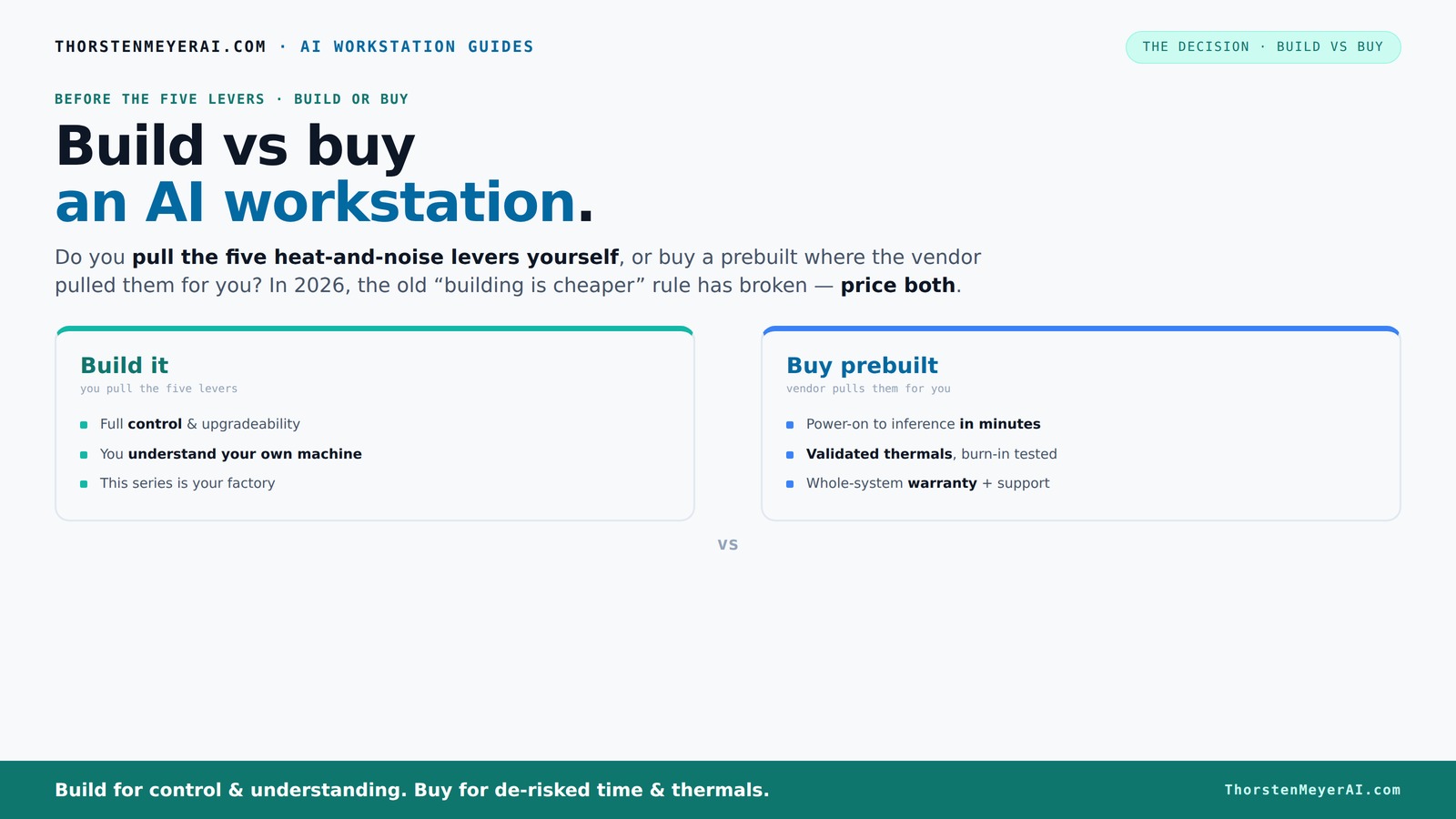
The real question behind this whole series: do you pull the five heat-and-noise levers yourself, or buy a prebuilt where the vendor pulled them for you? And in 2026, the old “building is cheaper” rule has broken. Match your situation in Part 3.
Key Takeaways
- Component shortages have pushed the cost of building a high-end AI workstation higher, often rivaling prebuilt prices.
- Prebuilt AI systems save time, come with validated thermals, and include support, making them a strong choice for professionals.
- Building offers maximum customization and upgrade flexibility but involves hidden costs and technical risks.
- Speed of deployment and reliability often tip the scale toward buying, especially in enterprise or time-sensitive projects.
- Your choice depends on your workload, technical skill, and how much control you want over your hardware.

WIWB Gaming PC Desktop Core I9-14900HX, RTX 5060 Ti 8G, 1TB NVME SSD
- Powerful Processor: Intel Core i9-14900HX with 24 Cores
- High-Performance Graphics: GeForce RTX 5060 Ti 8GB GDDR7
- Fast Memory & Storage: 16GB DDR5 RAM and 1TB NVMe SSD
As an affiliate, we earn on qualifying purchases.
As an affiliate, we earn on qualifying purchases.
Why Building Your Own AI Workstation Might Cost More Than You Think
Building your own rig used to be the clear winner on price. Now, with component shortages and price spikes, it’s a different story. For example, a GPU that was $1,200 last year now costs $1,600 or more. DDR5 RAM and high-end SSDs have also jumped 15-25%.
Adding in the time you spend sourcing parts, assembling, troubleshooting, and testing, the hidden costs add up. For guidance on hardware setup, see build vs buy a prebuilt AI workstation. These aren't just monetary; they include opportunity costs like delays in project timelines and the potential need for technical expertise. When components are scarce, you might spend days or weeks trying to find compatible parts, risking delays that can be costly in a competitive environment. Moreover, the complexity of assembly and troubleshooting can lead to mistakes that require additional purchases or professional help, further inflating costs. As a result, the traditional notion that building is always cheaper is increasingly challenged by these hidden factors, especially for high-performance AI setups where precision and reliability are critical.
What a Prebuilt AI Workstation Brings to the Table
Prebuilts like BIZON or Lambda aren’t just assembled parts. They’re engineered for thermal performance, noise reduction, and reliability. These vendors run 24–48 hours of stress testing, validate cooling, and optimize fan curves before shipping. That’s a huge time saver and risk reducer.
Plus, they come with warranties. If a GPU throttles or the system overheats during a critical training job, you’re covered. The tradeoff? You pay a premium for reliability, support, and ready-to-run performance. This investment in quality control means you’re less likely to face unexpected failures that can halt your work, cause data loss, or require costly repairs. The pretesting and support infrastructure effectively transfer some of the technical risks from you to the vendor, which is invaluable for time-sensitive projects or teams lacking deep hardware expertise. This reliability and convenience can significantly reduce downtime, which often justifies the higher initial cost, especially in professional environments where every hour counts.
Who Should Build and Who Should Buy? Real-World Scenarios
Let’s cut to the chase. If you’re a hobbyist, student, or someone who loves tinkering, building your own system makes sense. You get maximum control over cooling, noise, and hardware choices. Want a custom water-cooling loop? Build it.
But if you’re a professional or team that needs to start training models tomorrow, prebuilt offers speed. Imagine a data scientist who needs a rig with dual high-VRAM GPUs, fully tested, and under warranty. Buying accelerates deployment from months to weeks or even days.
For example, a small AI startup recently bought a prebuilt system from Lambda. It was ready in a week, had validated thermals, and came with support. They avoided the months of assembly and testing they’d face if they built their own. This tradeoff highlights a key consideration: time-to-productivity can be the decisive factor. If your project timeline is tight and your team lacks specialized hardware skills, prebuilt systems reduce risk and help you meet deadlines, which can be more valuable than cost savings alone.
Comparing Build and Buy Side-by-Side: Which Fits Your Needs?
| Feature | Build Your Own | Buy Prebuilt |
|---|---|---|
| Cost | Often cheaper upfront, but hidden costs exist | Usually a bit more expensive, but includes testing and warranty |
| Time to Ready | Months, depending on parts availability | Weeks to days, ready to run out of the box |
| Control | Full customization, from cooling to GPU choice | Limited to vendor configurations |
| Support & Warranty | Fragmented, DIY troubleshooting | Single point, with support and warranty |
| Upgradeability | Flexible; add GPUs, RAM, or cooling later | More restricted; depends on vendor ecosystem |
When Building Is Still the Right Move
If you have the time, enjoy the process, and want a machine tailored exactly to your needs, building remains a good choice. For example, if you’re working with proprietary workflows or custom cooling setups, DIY gives you the edge.
Additionally, if your workload involves highly specialized hardware configurations—like combining different GPU models or integrating custom storage solutions—building allows you to tailor every aspect to optimize performance and compatibility. This level of customization can lead to better efficiency and potentially higher performance, but it requires technical skill and patience. If your project demands unique hardware setups or you want to experiment with the latest tech, building is often the more flexible and rewarding path, provided you’re prepared for the time investment and troubleshooting involved.
When Prebuilt Systems Make the Most Sense
For most professionals and teams, the speed, reliability, and support of a prebuilt outweigh the cost savings of DIY. If you need a system that’s ready today, has been tested under load, and comes with a warranty, buying wins.
Especially with recent component shortages, buying a prebuilt can actually be cheaper than sourcing all parts individually. The time saved in procurement, assembly, and testing can offset the higher initial cost, enabling faster project start times and reducing downtime risks. This is particularly critical in environments where delays can cost thousands per hour, such as research labs or enterprise AI deployments. The assurance of vendor support also means issues can be resolved quickly, minimizing impact on your workflow. For teams that prioritize stability and quick deployment over marginal cost savings, prebuilt systems are often the most practical choice.
The Hidden Costs and Risks of Building Your Own AI Rig
Building your own system isn’t just about parts and assembly. It involves troubleshooting driver issues, BIOS tuning, and compatibility checks. These hidden costs can turn into weeks of work if you’re not experienced.
Additionally, the risk of incompatibility or hardware failure increases without thorough testing. If you’re unfamiliar with BIOS configurations or driver setups, you might encounter stability issues that take time to resolve. These problems can lead to project delays, data loss, or hardware damage, which can be costly both financially and in terms of productivity. Furthermore, if something breaks, you’re responsible for repairs or replacements, unless you purchase separate warranties or support plans. This can lead to unexpected expenses and downtime, particularly problematic in production environments where reliability is paramount. Understanding these risks helps you weigh whether the potential savings are worth the added complexity and potential for setbacks.
Making the Choice — What’s Right for You?
Deciding whether to build or buy depends on your workload, timeline, skills, and support needs. If your project demands custom cooling, specific hardware, or you have time to tinker, go DIY.
If you need speed, reliability, and minimal hassle, a prebuilt system is the smarter move. Remember, in 2026, it’s not just about cost — it’s about what gets you to your AI goals fastest and safest. Carefully consider your project’s requirements, your technical expertise, and your operational priorities before making a decision. The right choice balances cost, risk, and convenience tailored to your specific needs, ensuring you optimize your resources and avoid costly pitfalls.
Frequently Asked Questions
Is it cheaper to build or buy an AI workstation today?
It depends. Recent component shortages and price surges mean that prebuilt systems can sometimes match or beat DIY costs, especially when factoring in assembly time and support. Always compare prices for your specific configuration.
How long does it take to get a prebuilt AI workstation ready to use?
Most prebuilt systems are ready in a few days to a week, with some vendors offering overnight or two-day shipping. Building your own can take several weeks, including sourcing parts, assembly, and testing.
What specs matter most for AI workloads: GPU, VRAM, RAM, or CPU?
GPU and VRAM are king — for training large models, you need at least 16–24 GB of VRAM per GPU. RAM and CPU matter too, but the GPU’s power and memory capacity are usually the bottleneck. Check your workload requirements carefully.
Can I upgrade a prebuilt AI workstation later?
Often yes, but it depends on the chassis, PSU capacity, and motherboard design. Some vendor systems are more modular than others, so always ask about upgrade paths before buying.
What are the risks of choosing a prebuilt system?
The main risks are vendor lock-in, limited upgrade options, and potential mismatch with your specific software stack. Also, support quality varies; choose reputable vendors for peace of mind.
Conclusion
In 2026, the build-vs-buy debate isn’t just a simple cost equation. It’s about weighing speed, control, and risk against your specific needs. If you want a machine that’s ready to go with guaranteed reliability, a prebuilt system is your best bet.
But if you love tinkering and need a tailored setup, building remains a rewarding challenge. Either way, the smartest move is to compare real prices and support options now — don’t assume the old rules still hold.